
Last Updated: March 25, 2026
You-i offers optional SMS text message notifications to help you stay on track with your wellness goals. When you opt in, you may receive automated text messages including:
Consent is collected inside the You-i iOS mobile application. Users must complete two explicit steps before any automated messages are sent:
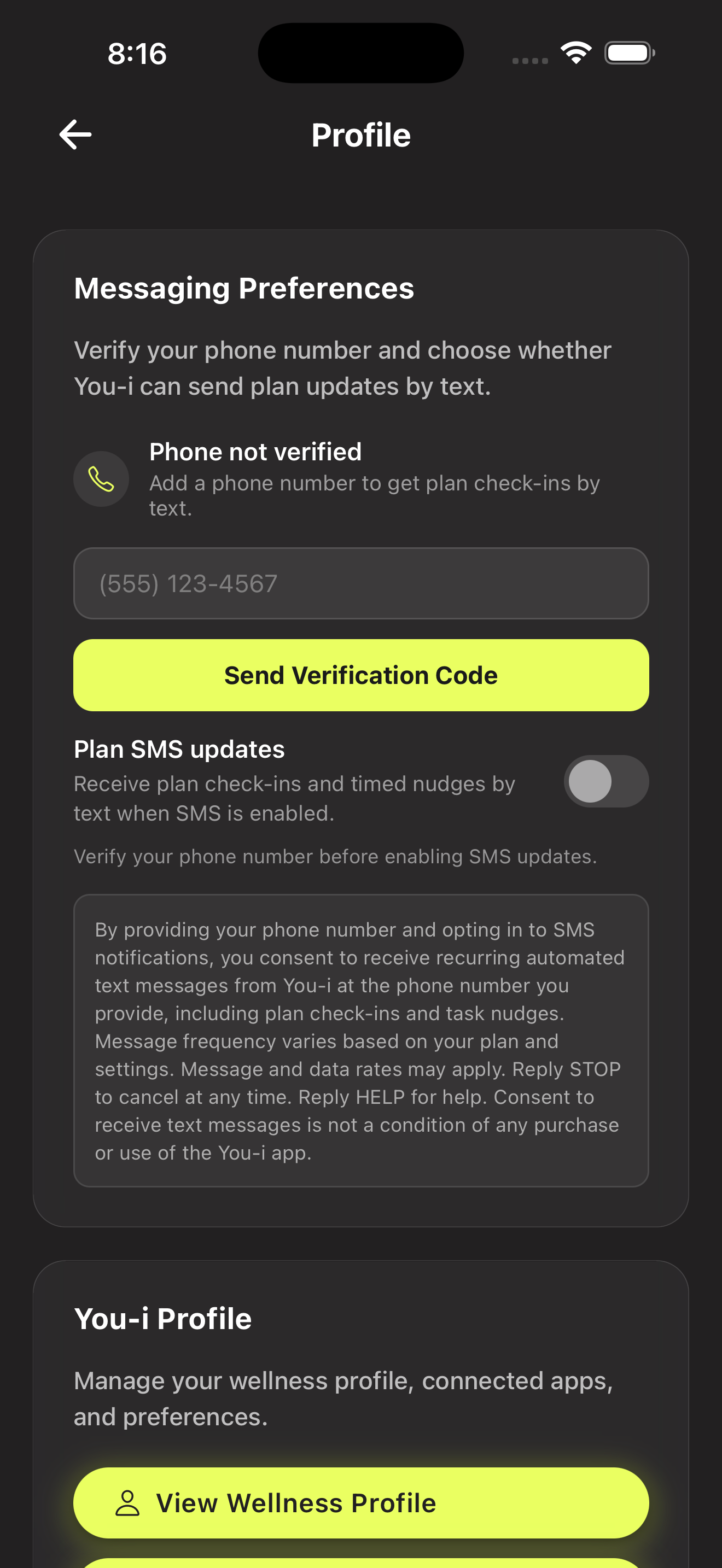
The user navigates to Messaging Preferences (via Profile or Notification Settings) and enters their phone number. The full consent disclosure is already visible on screen before any action is taken.
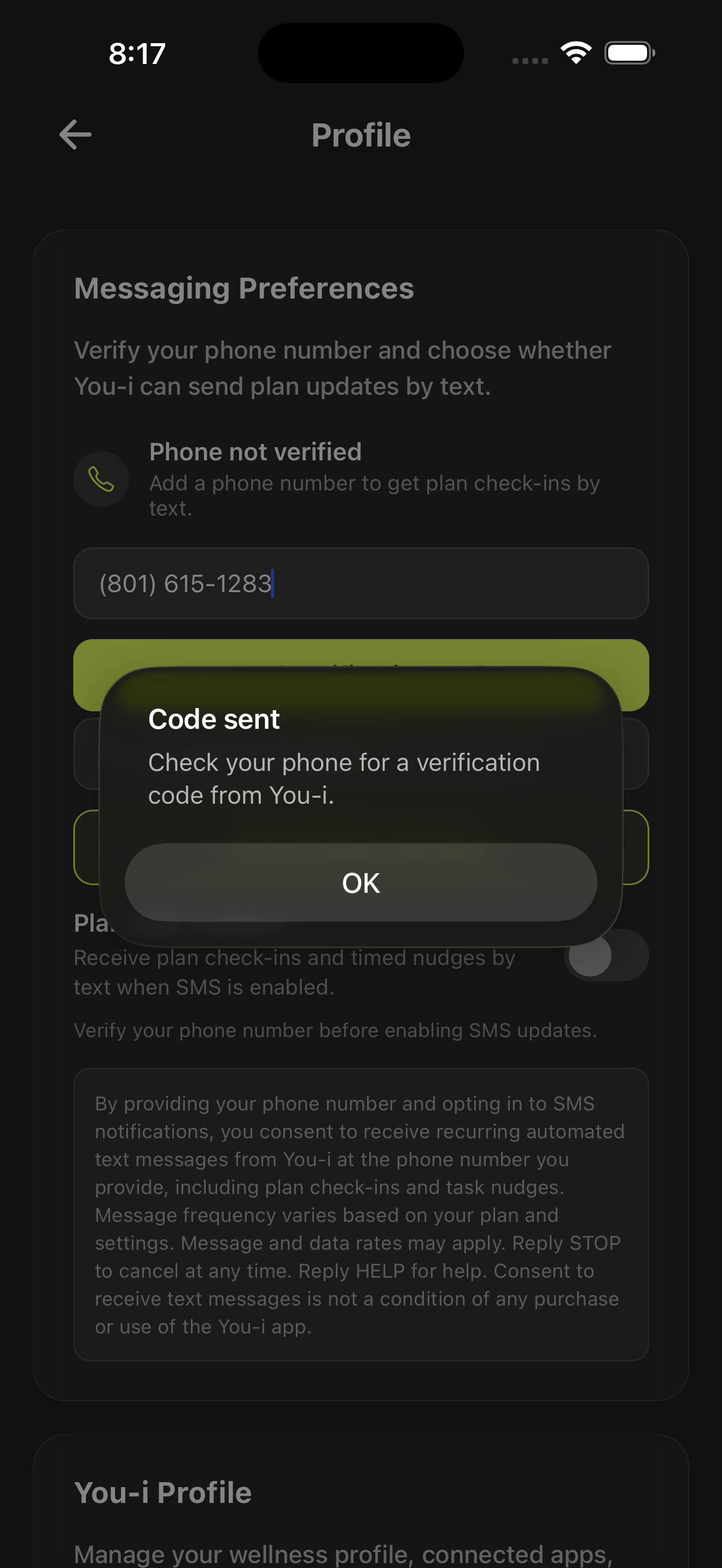
The user taps Send Verification Code. The app confirms the code has been sent and instructs the user to check their phone.
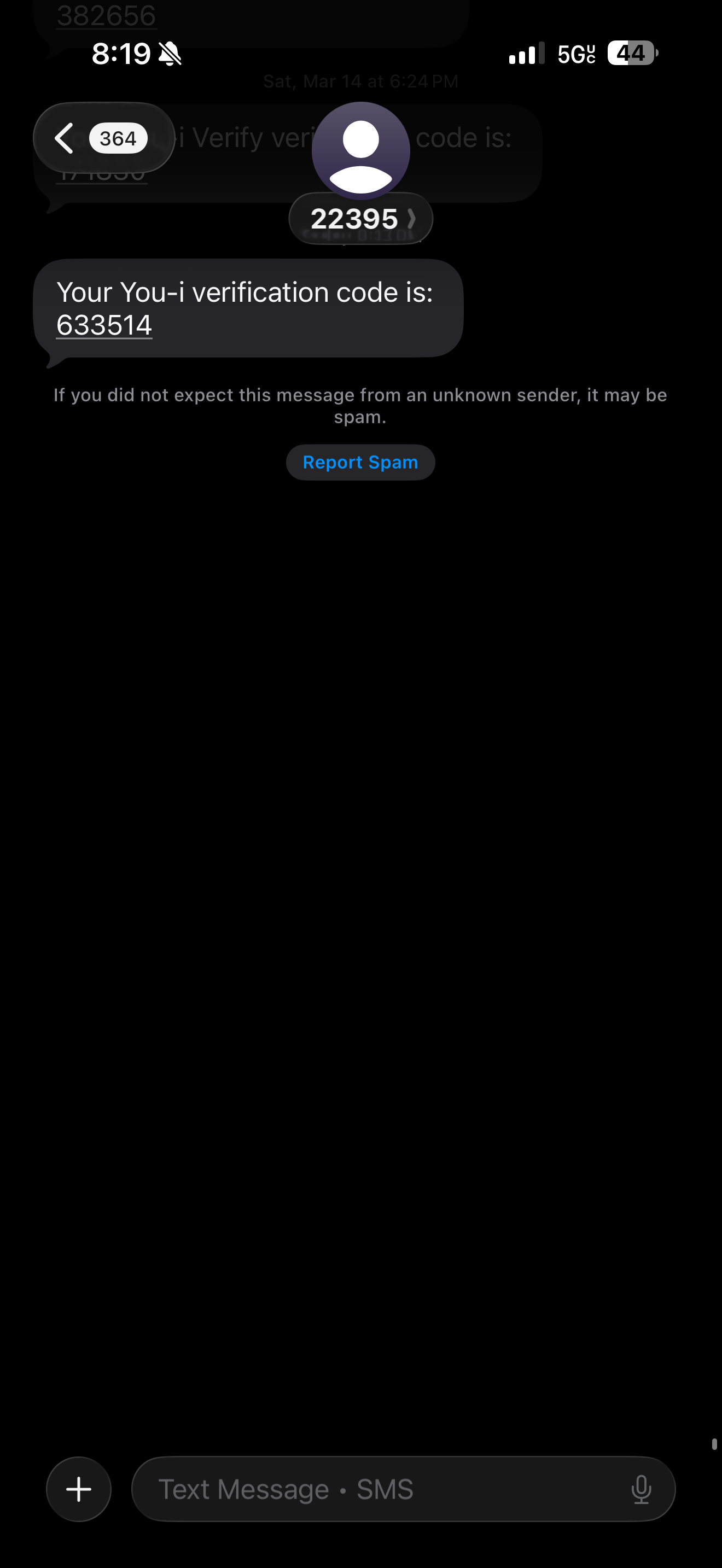
A one-time passcode (OTP) is delivered to the user’s phone via SMS through Twilio Verify. The user sees the code in their Messages app.
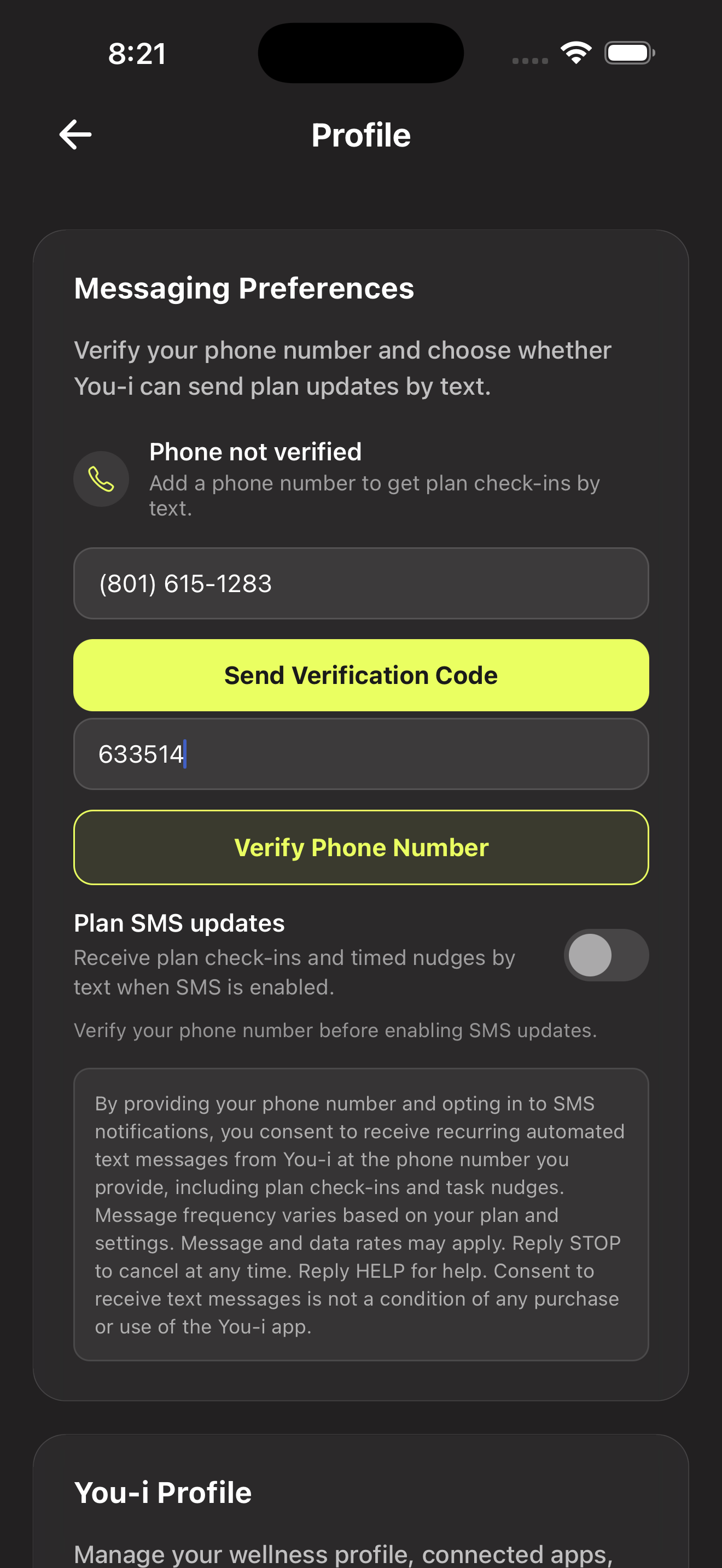
The user returns to the app, enters the verification code, and taps Verify Phone Number. The consent disclosure remains visible on screen throughout.
The app confirms successful verification. The Plan SMS updates toggle remains off — no automated messages are sent yet.
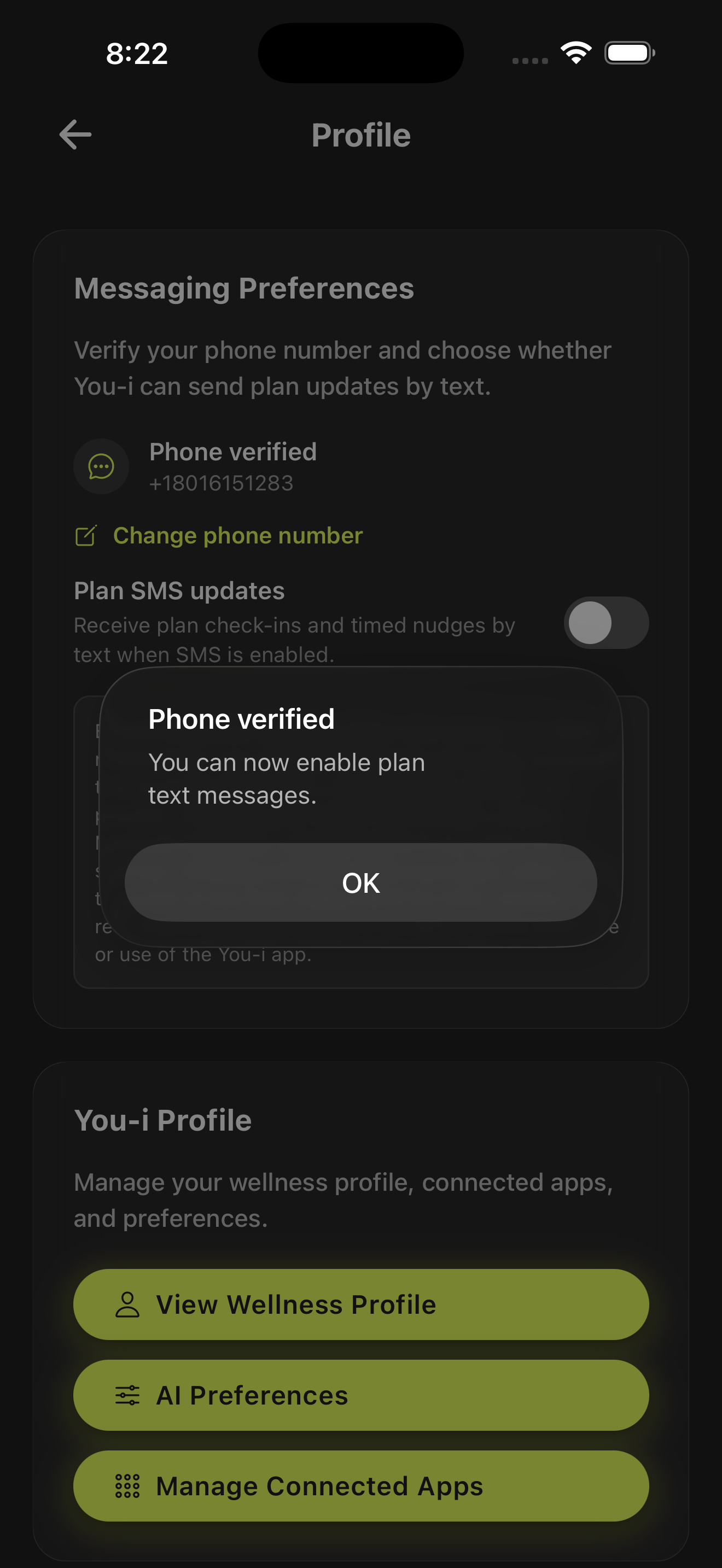
After dismissing the confirmation, the phone is verified but the toggle is still off. The consent disclosure remains visible. No messages are sent until the user explicitly opts in.
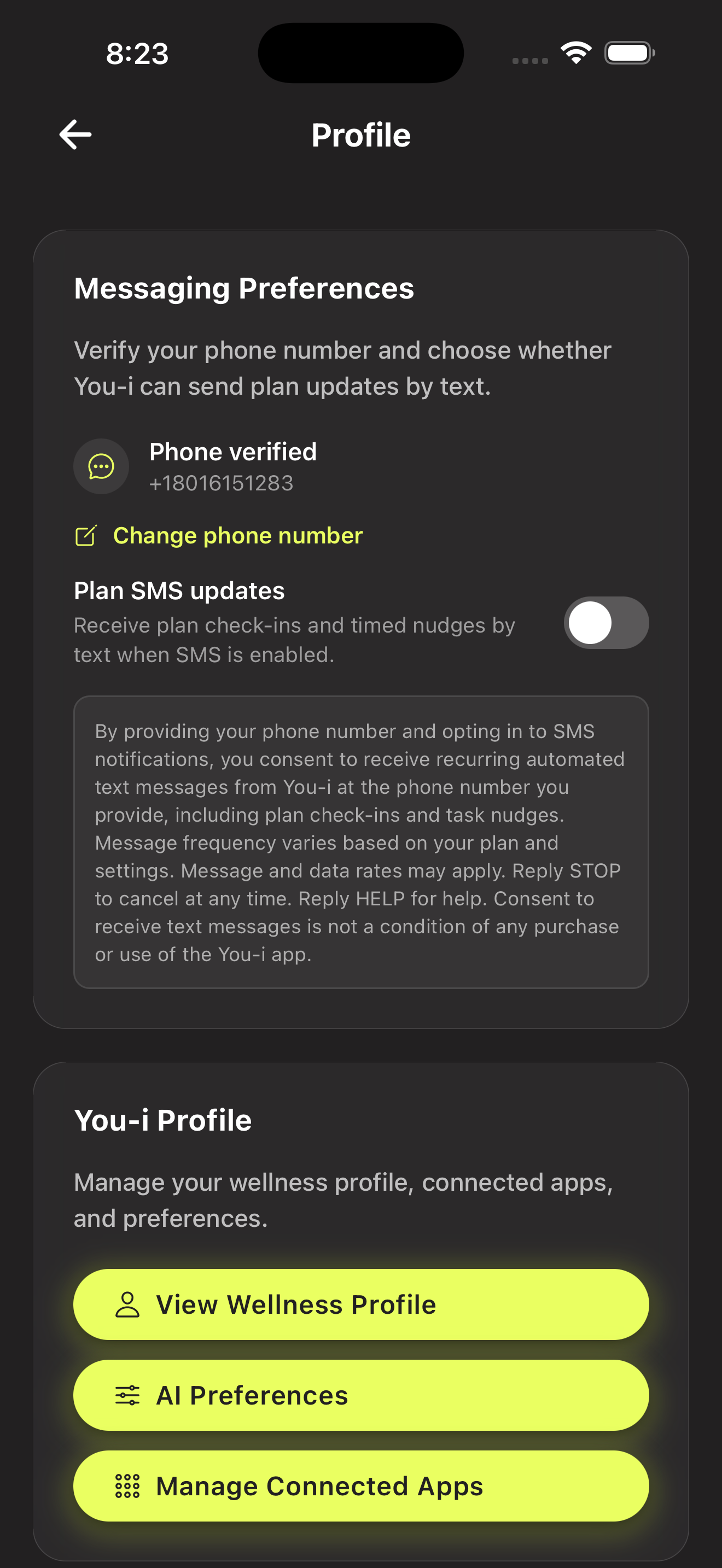
The user explicitly toggles on Plan SMS updates. The full consent disclosure — including message types, frequency, data rates, and STOP/HELP instructions — is displayed directly below the toggle at the point of opt-in. This is the moment the user has opted in.
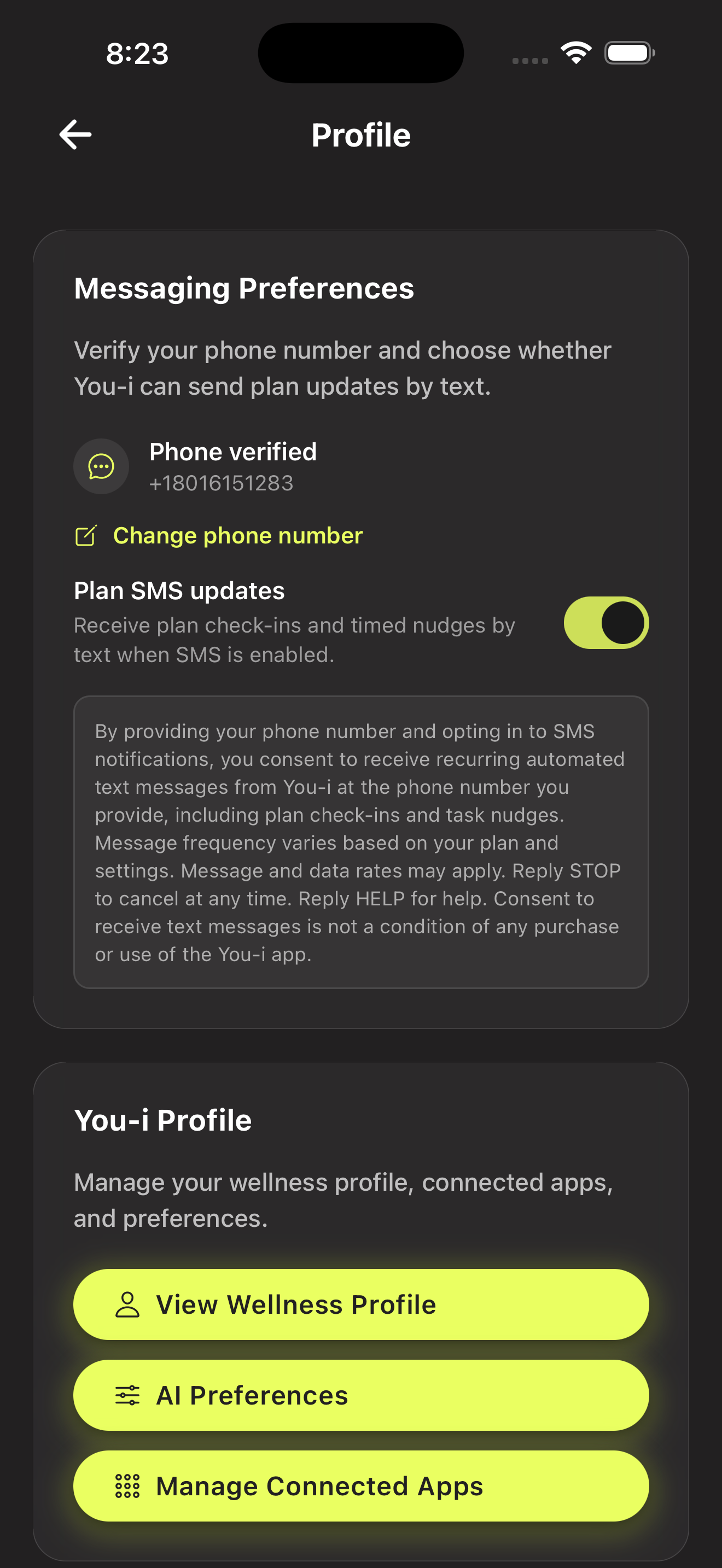
No automated messages are sent until both phone verification and the explicit toggle are complete. The SMS consent language is displayed prominently in the app at every stage of the opt-in process.
SMS opt-in is also presented as an optional step during You-i's onboarding flow (Smart Start). Users can skip it and enable SMS later from their Profile or Notification Settings.
You can stop receiving text messages at any time using any of these methods:
Reply HELP to any message from You-i for assistance, or contact us at support@liveyouphoria.com.
Your phone number is used solely for delivering the SMS notifications you opted in to. We do not share, sell, or rent your phone number to third parties for marketing purposes. For full details, see our Privacy Policy.
If you have questions about our SMS program: